Can You Delete Messages on iMessage? Your Complete Guide
The Ultimate Guide: Can You Delete Messages on iMessage?
We have all experienced that sudden moment of panic immediately after hitting the send button. A minor typo, selecting the wrong recipient, or just a sudden change of heart can make you frantically wonder, can you delete messages on iMessage? You are certainly not alone in asking this important question, as millions of Apple users navigate their digital conversations on a daily basis.
Apple has continuously updated its mobile software to give users significantly more control over their privacy and texting experience. If you are desperately searching for definitive answers about managing your chat history, you have come to the right place. In this comprehensive guide, we will explore exactly how message management works on your iPhone, iPad, or Mac. By the end of this read, you will have total confidence in handling your text threads and protecting your privacy.
Understanding the Basics: Can You Delete Messages on iMessage?
When everyday people ask can you delete messages on iMessage, they usually mean one of two very distinct things. They either want to completely clear a text from their own screen for local privacy, or they want to unsend a digital mistake so the other person never sees it. The short and happy answer to both of these scenarios is yes, though each method functions very differently behind the scenes.
Removing a text from your own personal device has been possible since the very early days of the original iPhone. This simple action effectively sweeps the digital clutter away from your personal view. However, removing it from someone else’s device requires modern software updates and relatively quick reflexes. To dive deeper into Apple’s official features, you can always reference the authoritative Apple Support page regarding message management.
The iOS 16 Update and the Power to Unsend
The landscape of Apple texting changed dramatically and forever with the highly anticipated release of iOS 16. Before this monumental update, once a text was sent out into the ether, it permanently lived on the recipient’s phone unless they manually chose to erase it. Apple finally addressed the widespread consumer demand by introducing the highly requested “Undo Send” feature, fundamentally shifting how we communicate securely.
This specific update brought a massive sigh of relief to anyone prone to sending accidental or poorly worded texts. For users running iOS 16 or later, taking back a digital mistake is now a built-in, reliable reality. This means the next time you find yourself urgently asking can you delete messages on iMessage to save yourself from potential embarrassment, the software actually has your back completely.
How to Erase Texts From Your Own Screen
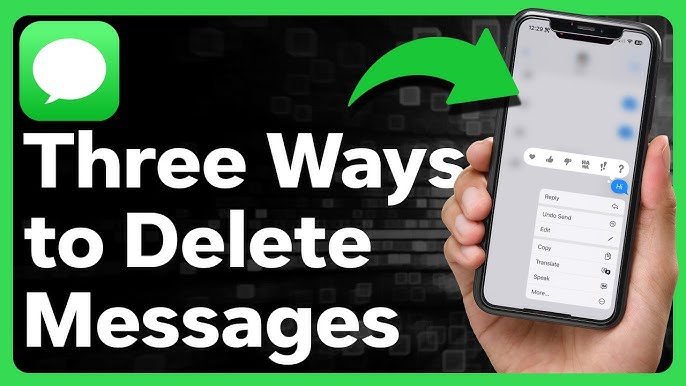
If you simply want to tidy up your digital space, removing individual texts from your own screen is incredibly straightforward and fast. You just need to open your specific chat thread, press and gently hold the specific text bubble you want to banish, and tap the “More” option that appears. From there, a small trash can icon appears at the bottom, allowing you to select multiple items and send them straight into the digital void.
It is absolutely crucial to remember that this local method only affects your specific device, not the person you are actively chatting with. If you are highly curious about managing your wider digital footprint, you should check out our related internal guides on Digital Privacy Best Practices. Taking firm control of your personal data always starts with mastering these small, everyday technological habits. Whenever a friend casually asks you, can you delete messages on iMessage just to hide them from snooping roommates, you can confidently walk them right through this easy process.
Clearing Entire Conversations for Better Storage
Sometimes, meticulously picking out individual texts is just too tedious, especially when you are dealing with years of accumulated chat history. You might actively want to wipe an entire thread to free up precious storage space or maintain strict personal privacy on your mobile device. Swiping left on any conversation in your main inbox reveals a prominent trash icon, letting you wipe the entire history in one swift, satisfying motion.
Apple also offers incredibly useful settings in your main iPhone storage menu to automatically auto-delete old chats after thirty days or one full year. This is a brilliant, automated solution for anyone constantly running out of room due to massive photo attachments and endless, busy group chats.
The “Undo Send” Feature: Timing is Everything
Now, let us directly tackle the absolute most pressing aspect of our main question: can you delete messages on iMessage so the recipient never actually reads them? As briefly mentioned earlier, the modern “Undo Send” feature makes this magical retraction possible, but there is a major technical catch regarding elapsed time.
You only have a remarkably strict two-minute window after hitting the send arrow to pull the text back successfully. If you suddenly realize your embarrassing mistake at the three-minute mark, the option to unsend entirely vanishes from your popup menu, leaving the text as a permanent fixture. You quickly activate this feature by long-pressing the recently sent blue bubble and tapping “Undo Send,” which literally makes the bubble burst into animated digital dust.
What Happens on the Recipient’s End?
A very common and understandable worry is whether the other person will definitively know you tampered with the chat log. When you successfully utilize the unsend feature, your original text completely disappears, but a small grey note appears in the thread stating that a message was unsent. Therefore, while they will not see exactly what you wrote, they will absolutely know that you wrote something and subsequently took it back.
Furthermore, this digital magic trick only works perfectly if both of you are currently using Apple devices running iOS 16 or newer software. If your friend unfortunately has an older iPhone or an Android device, your frantic attempt to unsend will completely fail, and they will keep the original text permanently.
Managing iCloud Syncing and Deleted Texts
Many dedicated Apple users heavily utilize iCloud to keep their digital lives seamlessly connected across their iPhones, iPads, and MacBooks. When you are carefully figuring out can you delete messages on iMessage, you must deeply consider how iCloud handles your administrative actions behind the scenes.
If you have the “Messages in iCloud” toggle turned on in your main Apple ID settings, erasing a text on your iPhone instantly erases it on your Mac and iPad as well. This seamless synchronization is fantastic for keeping things perfectly tidy, but it heavily implies you must be careful about what you choose to trash. Once you permanently clear it from your recently deleted folder, it is entirely gone across your entire connected Apple ecosystem.
Recovering Mistakenly Erased Chats
Have you ever successfully trashed a long thread, only to realize seconds later that it contained an incredibly important address or phone number? Thankfully, newer iOS versions include a brilliant “Recently Deleted” folder, functioning very much like the standard trash bin on a modern desktop computer.
You can easily access this hidden folder by tapping “Filters” or “Edit” in the top left corner of your main chat inbox interface. You generously have up to thirty days to safely recover items from this folder before they are permanently purged from Apple’s secure servers forever. This excellent safety net provides ultimate peace of mind for those moments when you get a little too enthusiastic about cleaning up your messy inbox.
Conclusion: So, Can You Delete Messages on iMessage?
Navigating the complex nuances of modern digital communication can sometimes feel like walking blindly through a minefield of potential awkwardness. Returning securely to our central, guiding theme, can you delete messages on iMessage, the final answer is a resounding yes, provided you know exactly what technological outcome you actually want.
Whether you are frantically unsending a terrible typo within the strict two-minute window or simply organizing your personal device by trashing ancient threads, Apple provides all the necessary tools. Just always remember that unsending requires modern, updated software on both ends of the conversation, while local clearing only ever affects your own glass screen. Keep your software routinely updated, strictly mind the two-minute time limits, and you will never really have to panic over a sent text ever again.
Visit also : zingyzon.co.uk
How long do you have to unsend an iMessage?
You have exactly two minutes after pressing the blue send arrow to successfully utilize the “Undo Send” feature on your Apple device. Once those critical two minutes expire, the option completely disappears from your popup menu, and the text becomes a permanent fixture in the recipient’s personal inbox.
Can you delete messages on iMessage if the other person has an Android?
No, the unsend capability relies entirely on Apple’s proprietary iMessage server network to retract the data. If the recipient uses an Android device, the text is immediately sent as a standard SMS or MMS green bubble, meaning you cannot take it back once it leaves your carrier network.
Does the other person get notified when you unsend a text?
Yes, while the actual written content of your text vanishes from their screen, a small grey alert automatically appears in the conversation thread for both users. This system alert explicitly states that you unsent a message, so the recipient will be entirely aware that something was recently retracted by you.
Why did my unsent message still show up on my friend’s phone?
This frustrating scenario usually happens because the recipient has not yet updated their personal device to iOS 16 or a much later software version. If they are still running older, outdated software, they will absolutely still see your original text, even if it successfully appears as unsent on your own personal screen.
Can I recover a message I accidentally removed from my iPhone?
If you are currently using updated Apple software, you can easily recover mistakenly trashed texts by navigating directly to the “Recently Deleted” folder in your main inbox menu. You generously have up to thirty days to fully restore these specific items before they are permanently erased from your device and your connected iCloud storage.